



Agentic AI
How to Add Agentic AI to Your Existing SaaS Product Without Rebuilding It From Scratch
You've already decided you want to do it. You're not here wondering if agentic AI for SaaS makes sense, you know it does. What you need is a clear path forward that doesn't mean tearing your entire product apart and starting from scratch.
Good news: you don't have to.
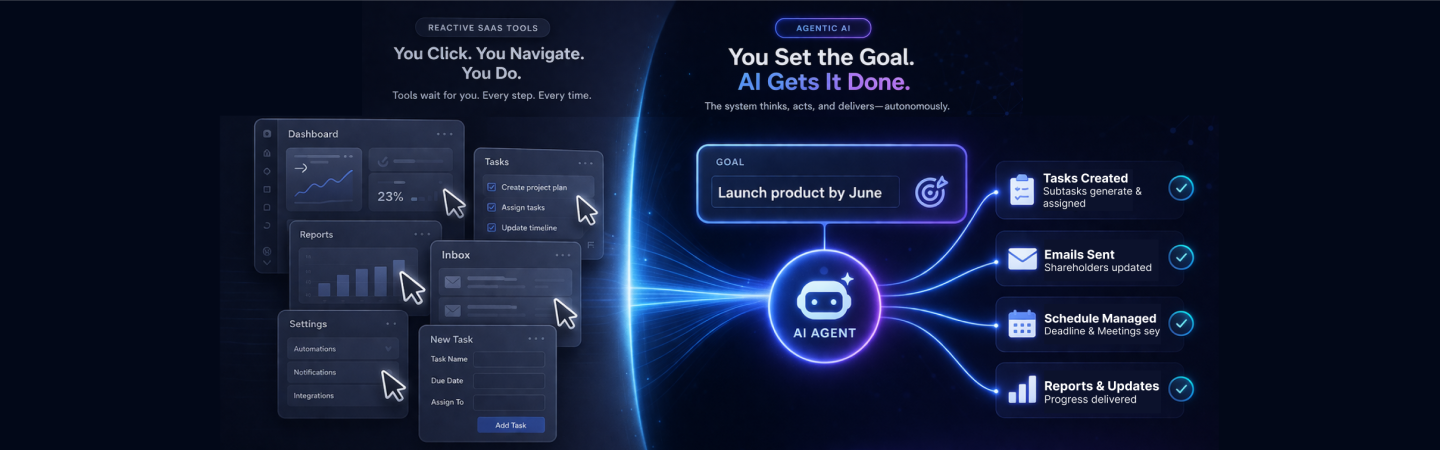
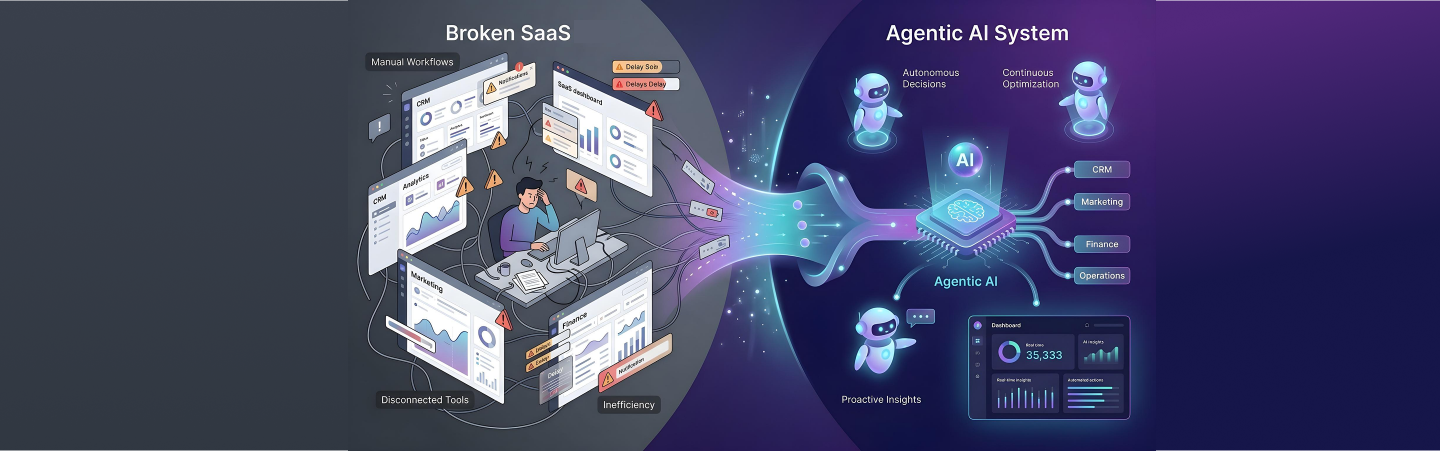
Most founders assume agentification means a massive rebuild. It doesn't. Some of the best AI-powered SaaS upgrades shipping right now were built on top of existing systems, not instead of them. The trick is knowing where to plug things in, what to automate first, and how to expand without breaking what's already working.
Here's your step-by-step roadmap.
Step 1: Identify Your Highest-Friction Workflows
Before you write a single line of AI code, list out the moments in your product where users are doing repetitive, manual, or frustrating work.
Think about it this way, where do your users drop off? Where do they complain about support tickets? Where are they copy-pasting between screens or exporting data just to do something basic?
These are your highest-friction workflows. And they're your starting point.
For most SaaS products, friction tends to cluster in:
- Report generation that takes multiple manual steps
- Data entry or tagging that users handle themselves
- Approval flows that bounce between multiple people
- Onboarding tasks your team still handles by hand
Write them all down. Don't filter yet, that's what step 2 is for.
Your SaaS is one agent away from doing the work for your users.
See How We Build It
Step 2: Map Which Workflows Are Actually Automatable
Not everything on your list is a good candidate for agentic AI, and that's fine.
The workflows worth targeting share a few things in common. They're repetitive. They follow a pattern or a set of rules. And they have clear inputs and outputs, the agent needs to know when it's done.
If a workflow requires nuanced human judgment every time, hold off. But if it follows a pattern, even a complex one, an agent can handle it.
A quick test: Could a really smart, well-trained junior employee do this if you gave them clear instructions and the right tools? If yes, an agent probably can too.
Step 3: Decide What Data Your Agent Needs Access To
This is where teams either get it right or create a mess they untangle for months.
Your agent needs data to act. But it doesn't need all your data, it needs the right data. And how you expose that data matters for both performance and security.
Ask yourself:
- Does the agent need read access, write access, or both?
- What's the minimum data it needs to complete the task?
- Are there compliance or privacy constraints to account for?
Most teams find it helpful to create a simple data access map at this stage, a list of what each agent workflow will touch. It makes the engineering cleaner and keeps your security team from asking hard questions later.
Step 4: Choose the Right Framework for Agentic AI Development in SaaS
Here's where founders often slow themselves down: spending weeks evaluating every framework before building anything.
You don't need the perfect framework. You need one that fits your stack, your team's skills, and the use cases you identified in steps 1 and 2.
For most SaaS teams, the choice usually comes down to a few options, LangChain and LangGraph for teams that want flexibility and control, CrewAI for multi-agent workflows, and vendor-native solutions like OpenAI's Assistants API or Anthropic's tool-use features for teams that want to move fast.
Roughly 75% of AI use cases in production today run on vendor products and their data. You probably don't need to build everything custom. Use what already exists.
Pick something. Build something small. You'll learn more from your first working prototype than from any amount of research.
Step 5: Build, Test, and Expand
This is where the real work happens, and where most teams find things move faster than expected.
Start with one workflow. Build a minimal version of the agent. Put it in front of real users, or run it in shadow mode (where it runs alongside your existing process without taking over). Watch what breaks.
The first version won't be perfect. That's not the goal. The goal is to get signal fast, does the agent handle the workflow correctly? Where does it get confused? What edge cases did you miss?
Once that first workflow is running reliably, pick the next one from your list and repeat. This is how you agentify a SaaS product without rebuilding it, one workflow at a time, layering intelligence on top of what already works.
Your agentic AI roadmap is one read away.
Get the Playbook.
A Real Example at Each Step
Let's make this concrete. Say you run a project management SaaS and one of your highest-friction workflows is status reporting, users manually pull data, write updates, and send them to stakeholders every week.
- Step 1: Status reporting is a clear friction point. Users hate it, it eats time, and it looks the same every week.
- Step 2: It's repetitive and pattern-driven. Strong candidate.
- Step 3: The agent needs read access to task completion data, timelines, and assignee info. No write access needed yet.
- Step 4: You use your existing LLM vendor's API with a simple tool-use setup. No custom framework needed.
- Step 4: You run the agent in shadow mode for two weeks, compare its reports to what users were writing manually, and find it's 90% of the way there. You ship it. Users love it. You move to the next workflow.
That's the whole playbook, applied.
The Bigger Picture
Here's what most founders don't realize until they're a few months in: adding agentic AI for SaaS isn't a one-time project. It's a capability you build into the way you ship.
Once your team has done this once, the workflow mapping, the data access decisions, the framework selection, the testing loop, the second one goes faster. And the third one faster still.
The companies that win in the next few years aren't the ones who made the biggest AI bet all at once. They're the ones who built a muscle for it, who learned how to slot intelligence into their product incrementally, tested it with real users, and expanded deliberately.
You don't need to rebuild from scratch. You just need to start. The path from here is clearer than most founders think.
We can help you map out which workflows in your product are worth agentifying first?
Talk to us




FAQs
Do I need to rebuild my SaaS to add agentic AI?
How long does it take to ship a first agentic workflow?
What's the best framework for agentic AI development in SaaS?
How do I know which workflows to agentify first?
Is agentic AI development expensive for a SaaS company?
What data does an AI agent need to function inside a SaaS product?